Rolling Coin Precision Course
Reviews
Rolling Coin Precision Course offers a refreshingly straightforward challenge. Guiding a small disc through a series of moving barriers and speed boosters requires steady focus and careful timing. The course is well-designed, with obstacles that feel fair but demanding. There are no scores or timers, which reduces pressure and lets players concentrate on improving their own performance. The clean visuals and responsive controls make each attempt enjoyable. It is a great choice for anyone looking for a calm but engaging test of coordination.
Description
Course Navigation Basics
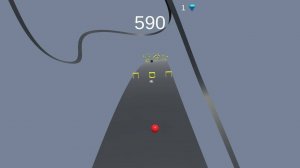
Players guide a small metal disc along a raised pathway that twists and turns through a series of themed environments. The disc responds to directional inputs, rolling forward automatically while the player adjusts left and right movements to stay on track. The path narrows at certain points, requiring careful adjustments to avoid falling off the edge. Success depends on reading the upcoming terrain and making small, precise corrections.
Obstacle Variety and Timing
The course includes several types of barriers that appear at regular intervals. Some barriers rise and fall in a fixed pattern, while others rotate at varying speeds. Hidden panels may slide open without warning, briefly exposing gaps in the path. Speed boosters placed along the route temporarily increase the disc's velocity, which can make upcoming obstacles harder to navigate. Players must learn each obstacle's timing to pass through safely.
Control and Feedback
The game uses simple keyboard or mouse controls that respond immediately to player input. A subtle visual indicator shows when the disc is near the edge of the path, helping players make corrections before losing balance. The disc's momentum carries it forward, so quick reactions are needed when approaching sharp turns or sudden obstacles. Each successful pass through a difficult section provides a sense of accomplishment and encourages repeated attempts.
Progression and Mastery
There is no set endpoint; players can attempt the course as many times as they like. Each run offers an opportunity to improve personal performance by reducing mistakes and achieving a cleaner path. The game does not track scores or times, so the only measure of success is the player's own satisfaction with a perfect run. This design encourages a focus on personal growth rather than competition.
Visual Style and Atmosphere
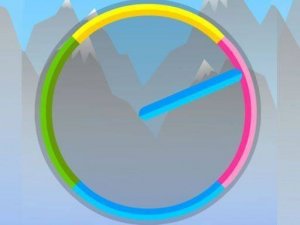
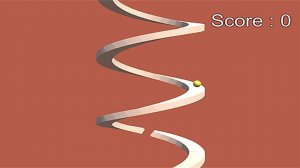
The game presents a clean, uncluttered visual style with bright colors and simple shapes. The path stands out clearly against the background, making it easy to spot upcoming obstacles. Subtle animations, such as the disc's rotation and the movement of barriers, add a polished feel without distracting from the gameplay. The overall aesthetic is friendly and inviting, suitable for players of all ages.



Comments
Sign in to comment
You must be logged in before posting a review or rating.
No account? Create one
No comments yet. Be the first to comment!