 Thrill Horizon Play
Thrill Horizon Play
Thrill Horizon Play
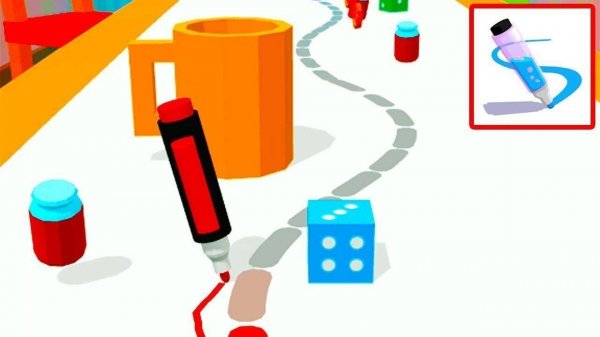
Pen Run stands out with its clever blend of drawing and racing. Each level requires you to think ahead and draw a safe path while avoiding obstacles. The controls are smooth and responsive, and the colorful art style is appealing. The game offers good replayability as you can try different routes to improve your time. It is a clean, family-friendly experience that encourages creativity and problem-solving without any violence or inappropriate content. Perfect for quick sessions or longer play.
Pen Run: Draw Your Path Arcade is a vibrant and imaginative arcade experience where creativity meets racing. You control a lively watercolor pen, and your mission is to guide it through colorful levels by drawing the path forward directly on the screen. Each level presents new challenges with fun obstacles to avoid, and the goal is simple: reach the glowing finish line before anyone else. This game offers a perfect blend of art, quick thinking, and friendly competition, designed to provide hours of wholesome entertainment for players of all skill levels.
Playing Pen Run is easy and intuitive. Use your finger or mouse to draw a line on the screen. This line becomes the road for your pen to run on. You must draw carefully to navigate around moving obstacles, gaps, and other surprises. Think ahead and plan your route to be both safe and fast. The player who draws the smartest, most efficient path and reaches the end first wins the prize. Remember, you cannot touch the obstacles, so steady hands and creative problem-solving are your best tools for success.
Pen Run includes creative drawing mechanics that let you design your own route. Colorful obstacle courses keep each level fresh and engaging. Friendly racing competition adds excitement without pressure. Safe fun for everyone means no inappropriate content. The controls are simple and responsive, making it accessible for all ages.
To succeed in Pen Run, focus on drawing smooth, efficient paths that avoid obstacles. Plan your route ahead of time, especially when approaching gaps or moving hazards. Practice each level to learn obstacle patterns and improve your drawing speed. Keep your lines steady to prevent your pen from veering off course. Finally, stay calm under pressure—rushed drawings often lead to mistakes.

Simple and funny physics game. Great for quick laughs and relaxing breaks.

Clean design and smooth gameplay. Great for short breaks and puzzle fans.

Tough but fair platformer with simple controls and retro visuals. Great for sharpening reflexes.

Clever concept with simple controls. Matches are quick and fun for all ages.
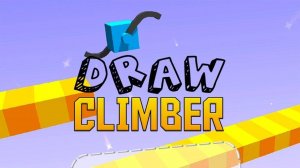
Inventive drawing mechanic makes each race a new puzzle. Great for creative players and quick sessions.

Clean controls and satisfying challenge. Great for quick reflex training sessions.
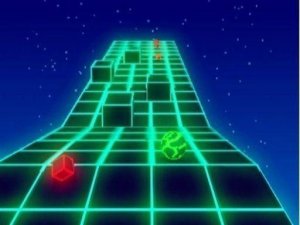
Clean design and smooth controls. Great for quick breaks or longer sessions.

A colorful and relaxing casual game that sharpens reflexes. Three modes keep it fresh and fun.