 Thrill Horizon Play
Thrill Horizon Play
Thrill Horizon Play
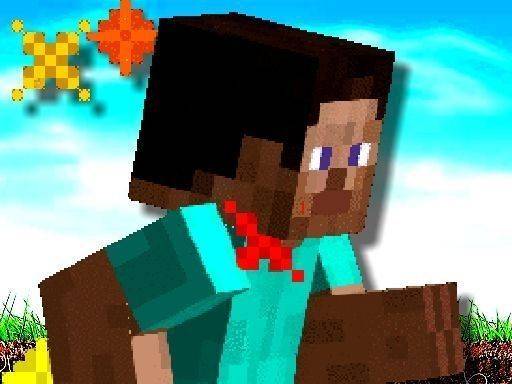
Run MineBlock Run offers a clean, focused arcade experience. The dodge mechanic is easy to learn but the increasing speed provides a real challenge. Each run feels fair, and the score tracking motivates you to improve. The game is free from clutter and inappropriate content, making it suitable for all ages. It is a solid choice for short, engaging play sessions that test your reflexes without demanding a big time commitment.
Run MineBlock Run is a fast-paced arcade game that tests your reflexes and timing. You control a character who must avoid a steady stream of fire arrows. The arrows come from the front, some low and some high. Your task is to jump over low arrows and duck under high ones. The game speeds up gradually, making each dodge more demanding. There are no complex rules or power-ups. Your only goal is to survive as long as possible. Each second you stay alive increases your score. The game ends when an arrow hits you, but you can restart instantly. The vibrant graphics and smooth controls keep each run feeling fresh. This game is suitable for all ages and contains no violent or inappropriate content. It offers endless entertainment for short breaks or longer play sessions.
How to play Run MineBlock Run is straightforward. Use your keyboard or touchscreen to control the character. When a low arrow approaches, press the jump button to leap over it. When a high arrow comes, press the duck button to slide under it. The game gives you clear visual cues for each arrow type. As you progress, the arrows come faster and more frequently. Your score increases with every arrow you successfully avoid. There are no extra items or levels to manage. Just focus on timing your jumps and ducks correctly. Practice improves your reaction time and helps you survive longer. The game ends when an arrow hits you, but you can restart and try again immediately. This simple loop makes the game easy to learn and hard to put down.
Game features include fast-paced dodging action that keeps you alert. Controls are simple and responsive, working well on both keyboard and touchscreen. The game offers endless gameplay with no set end point, encouraging you to beat your personal best. Score tracking lets you see your progress and set new goals. The clean, colorful visuals are easy on the eyes and suitable for all ages. There are no ads that interrupt gameplay, ensuring a smooth experience.
You will enjoy Run MineBlock Run because it is easy to pick up but challenging to master. The increasing speed keeps each run exciting. It is a great way to test and improve your reflexes during short breaks.
Simple tap controls and rewarding coin collection. Great for quick fun.

Simple, clean basketball shooting game. Great for quick fun and improving aim.

Clean design and smooth gameplay. Great for short breaks and improving aim.
Clean design and smooth controls. Great for quick breaks and improving aim.
Simple tap mechanics with realistic physics. Great for quick breaks and party fun.
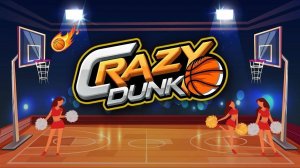
Simple tap controls and bright visuals. Great for quick gaming sessions. Addictive high-score chase.

Simple and addictive. Great for quick sessions. The swish chain mechanic is satisfying.

Simple controls and increasing difficulty keep each round fresh. Great for quick breaks.